
FREE TOOLS · PRACTICAL GUIDES
How to make custom mazes: hexagon, triangle, circular and shaped mazes
A square maze is a classic, but it is only the start. A hexagon grid gives six ways out of every cell, a circular maze spirals towards the centre and a shaped maze can look like a heart, a letter or a pumpkin. The free maze generator makes all of them, shows you the solution and gets them ready to print. Here is how to use every part of it and how to make a maze that is exactly as hard as you want.
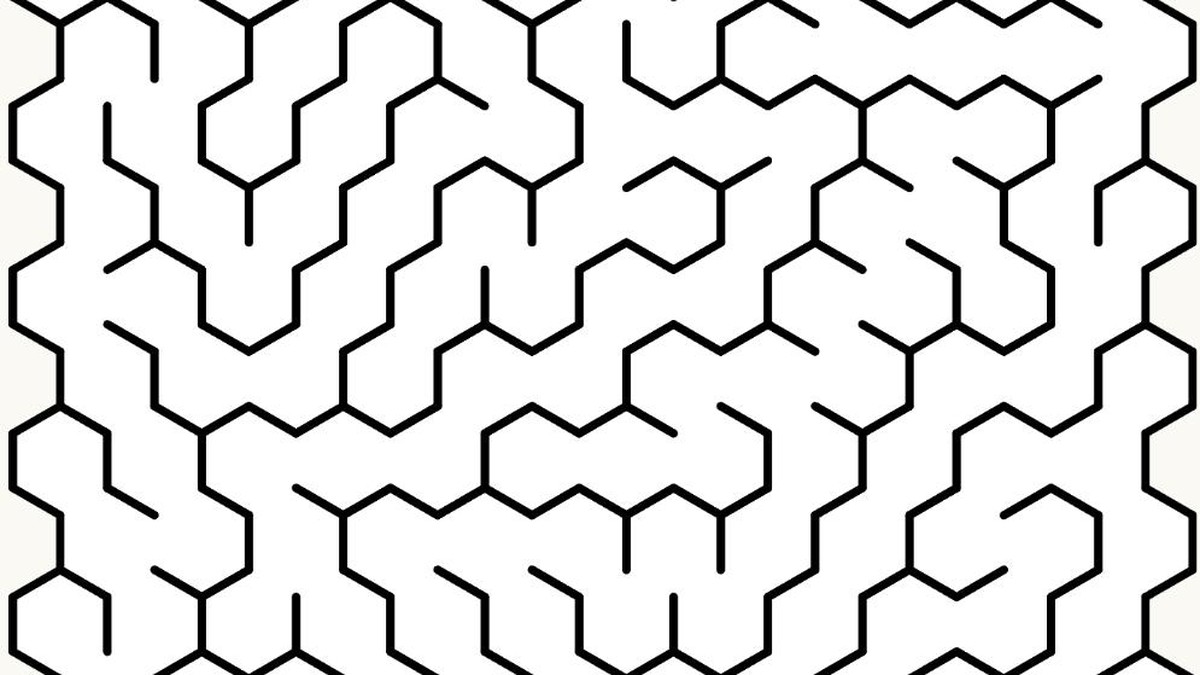
Four grid shapes, four different feels
The shape of the grid changes how a maze feels to solve, not just how it looks.
| Grid | What it feels like | Size range |
|---|---|---|
| Square | The classic. Clear corridors, easy to draw in | 2 to 50 cells each way |
| Triangle | Sharp zigzags; paths change direction often | Up to 85 wide and 50 high |
| Hexagon | Six exits per cell, so many more choices at every turn | 2 to 50 cells each way |
| Circular | Rings around a centre; a great finish in the middle | 2 to 30 rings |
For a first maze, try a 10 × 10 square. For something that looks impressive on a wall or a party table, try a circular maze with 15 to 20 rings.
Size, routes and difficulty
Bigger mazes have more cells, so the route is usually longer. But size is not the only thing that makes a maze hard.
- Entrance and exit: choose bottom to top, left to right, no entrance at all, or the hardest pair, which places the openings as far apart as the maze allows.
- Generation style: the generator offers several styles of building a maze. Some make long winding corridors with few branches; others make lots of short dead ends that tempt the solver the wrong way. Try a few on the same grid and keep the one you like.
- Shape: hexagon and triangle grids feel harder than a square grid of the same size, because there are more ways to turn.
A good rule for children: one cell per year of age along each side is a comfortable start, so a 6 × 6 square maze for a six year old.
Drawing a custom shape with a mask
A mask lets you switch off cells before the maze is built, so the maze only grows inside the shape you leave. This is how you make a heart, a star, a letter, a number for a birthday or a seasonal shape.
- Choose a grid and a size large enough for your shape. 30 × 30 or more gives smooth outlines.
- Press Create Mask and click the cells you want to remove.
- Press Save Mask, then Finish. New mazes now grow only inside the shape.
- Use Clear Mask to start again.
Keep the shape in one piece. If parts of it are cut off from each other, the maze cannot join them.
Making the same maze again with a seed
Every maze comes from a seed, a number that decides the layout. Leave it on random for a new maze each time. Type a seed when you want the same maze again later, for example to print another copy for a latecomer or to give two groups an identical race.
Solve, play and the distance map
Before you print, check the maze. Solve draws the route from entrance to exit. Play lets you try it on screen yourself, which is the honest test of whether it is fun.
The distance map colours every cell by how far it is from the start. It is a lovely way to see how a maze is put together, and children enjoy it as much as the maze itself. Show algorithm steps lets you watch the maze being built cell by cell, which makes a surprisingly good classroom demonstration.
Downloading and printing
Use Download for an image file, or Print / Save as PDF for a clean page straight from your browser.
- Print the maze, then print it again with the solution shown for the answer sheet.
- Choose fit to page so the outer wall is not cut off.
- Large mazes print best on A3 or tabloid paper, or on A4 for a fine pen and a steady hand.
- For a laminated, reusable maze, print on card and use dry wipe markers.
Ideas for using custom mazes
- A birthday maze shaped like the age of the child.
- A heart maze on a Valentine card.
- A pumpkin or ghost maze for a Halloween party table.
- A giant circular maze as a classroom challenge, solved together on the whiteboard.
- Matching seeds for a fair race between two teams.
Questions people ask
Is the maze generator free?
Yes. You can make, solve and download mazes for free.
Can I make a hexagon or circular maze?
Yes. Choose Square, Triangle, Hexagon or Circle before you press New Maze.
How do I make a maze in a custom shape?
Use Create Mask to switch off cells outside your shape, save the mask, then generate the maze. It only grows inside the shape.
How do I print the answer?
Press Solve to show the route, then use Print / Save as PDF. Print once without the solution and once with it.
How do I make a maze harder?
Make it larger, choose a hexagon or triangle grid, choose the hardest entrance and exit, and try a generation style with more dead ends.
Can I get the same maze again?
Yes. Type the same seed number before you generate it.
PUT IT INTO PRACTICE
Make your first shaped maze.
Pick a grid, choose the size and press New Maze. Check the route with Solve, then print it.
Open the maze generator →